
📚 About This Game
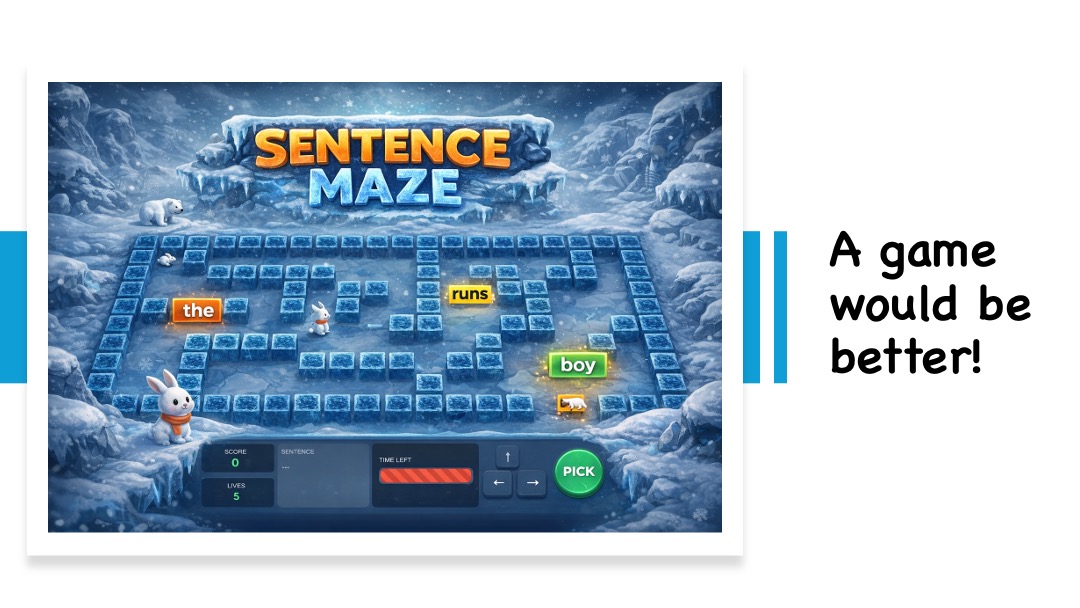
Ice Maze is an educational game designed to help students learn sentence structure through the Colourful Semantics approach. Players navigate a maze, collecting words in the correct order to build grammatically correct sentences.
🎨 What is Colourful Semantics?
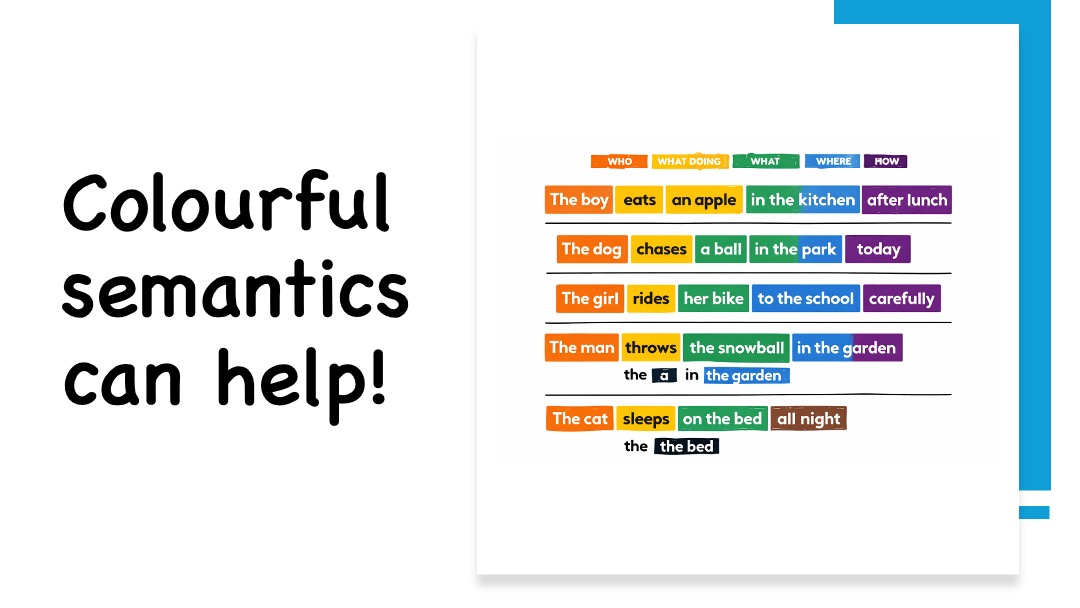
Colourful Semantics is a teaching method that uses colours to help children understand sentence structure:
- WHO (Orange) - The person or thing doing the action
- WHAT DOING (Yellow) - The action or verb
- WHAT (Green) - The object of the action
- WHERE (Blue) - The location
- HOW (Purple) - The manner or way
- WHEN (Brown) - The time
- JOINING (Black) - Connecting words like "the", "a", "in"
⚙️ Game Configuration Options
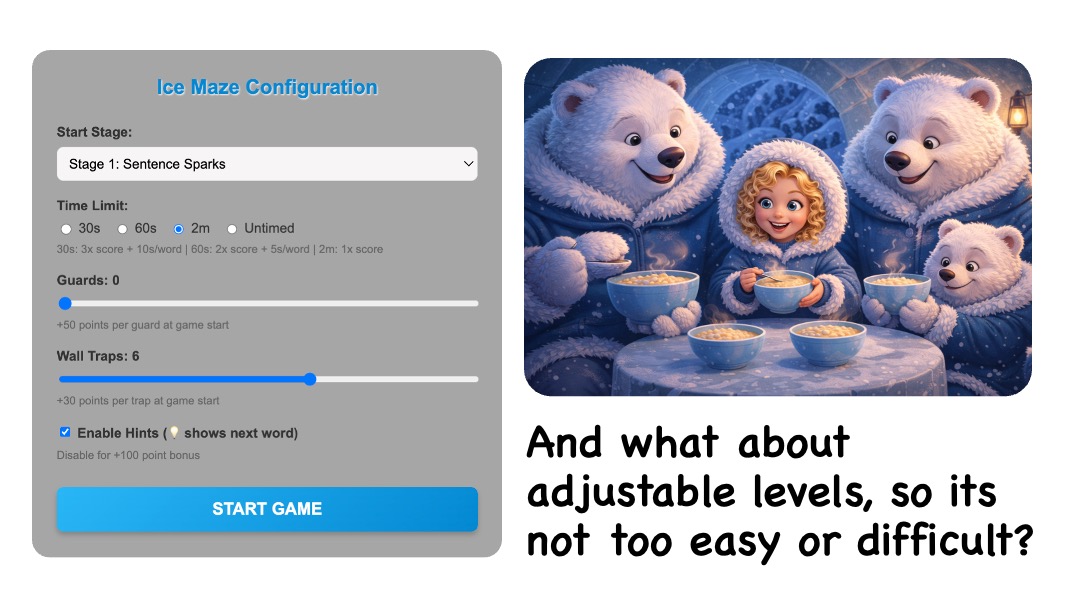
Before starting, you can customize the game difficulty:
- Starting Stage: Choose from 8 progressive stages (1-8)
- Time Limit: Set challenge level
- 30 seconds - 3.0x score multiplier (+10s per word) 🔥
- 60 seconds - 2.0x score multiplier (+5s per word) ⚡
- 2 minutes - 1.0x score multiplier (standard) ⏱️
- Untimed - 0.5x score multiplier (practice mode) 🎯
- Guard Count (0-5): Moving obstacles (+50 points each at start) 👾
- Wall Trap Count (0-10): Crushing walls (+30 points each at start) 🧱
- Hints: Enable/disable lightbulb hints (+100 points if disabled) 💡
🎮 How to Play
- Desktop: Use arrow keys or WASD to move
- Mobile/Tablet: Tap directional buttons on screen
- Goal: Collect words in the correct order to build the target sentence
- Avoid: Guards (red) and crushing walls (blue)
- Lives: You start with 5 lives. Wrong word? Back to start, lose 1 life!
- Hints: If enabled, walk over the lightbulb (💡) to see the next word flash
� Scoring System
- Base Points: 50 points per correct word
- Time Bonus: Extra points for completing quickly
- Difficulty Bonuses:
- Guards: +50 points each (awarded at start)
- Wall Traps: +30 points each (awarded at start)
- Hints Disabled: +100 points (awarded at start)
- Score Multipliers: Based on time limit chosen (see above)
� The 8 Stages
- Stage 1: Sentence Sparks - WHO + WHAT DOING (e.g., "The boy runs")
- Stage 2: Action Builders - WHO + WHAT DOING + WHAT (e.g., "The boy kicks the ball")
- Stage 3: Scene Setters - Add WHERE (e.g., "The boy kicks the ball in the garden")
- Stage 4: Detail Boosters - Add HOW (e.g., "The boy kicks the ball in the garden hard")
- Stage 5: Time Travellers - Add WHEN (e.g., "The boy kicks the ball in the garden hard today")
- Stage 6: Story Expanders - Longer sentences with all elements
- Stage 7: Meaning Makers - Complex sentences with multiple clauses
- Stage 8: Confident Communicators - Advanced sentence structures
🎯 Learning Objectives
- Understanding sentence structure and word order
- Recognizing semantic roles of words
- Building grammatically correct sentences
- Developing reading comprehension skills
- Improving vocabulary and language awareness
💡 Tips for Teachers
- Start Simple: Begin with 0 guards, 0 traps, and hints enabled for new learners
- Gradual Challenge: Increase difficulty as students master sentence structure
- Time Pressure: Use shorter time limits for advanced students to build fluency
- Discuss Mistakes: Use incorrect attempts as teaching moments
- Celebrate Success: Acknowledge progress through the stages
💻 Free & Open Source
This project is free and open source! You can have a look at the source code, it won't bite.
https://github.com/jamesabela/icemaze
You can also learn more about Vibe coding by reading my book and you can also read my Gamification book too.
Made with ❤️ for better thinking. If it helped you, you can support the project with a tea. Buy me a tea.
🪟 Concept Grid for Windows
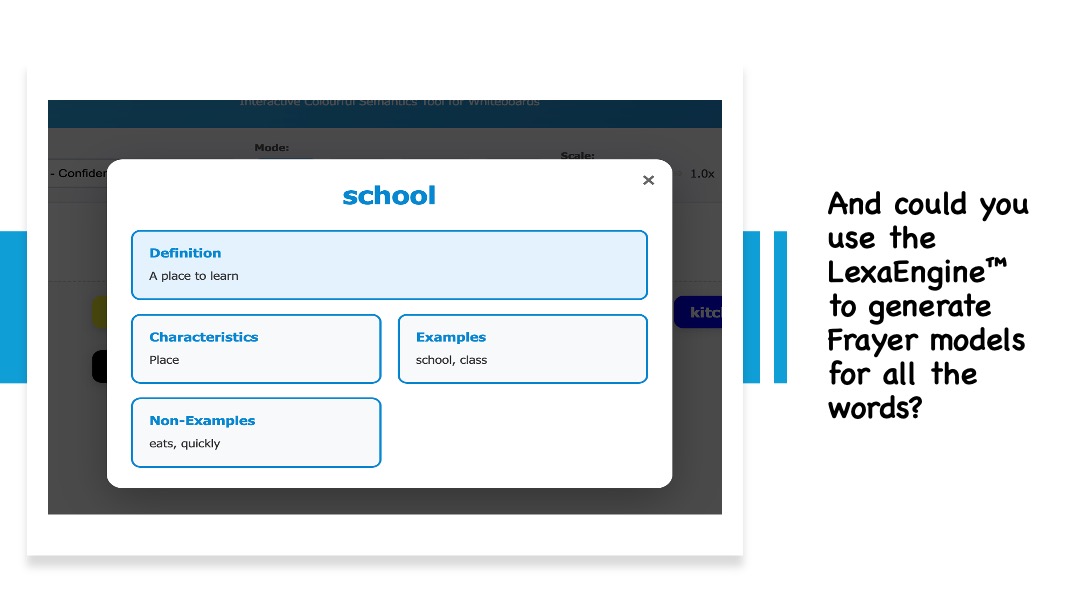
Take your classroom vocabulary management to the next level with our new Concept Grid Windows app. It's designed for teachers to quickly build, manage, and export professional-grade Frayer models and word lists.



